Overview
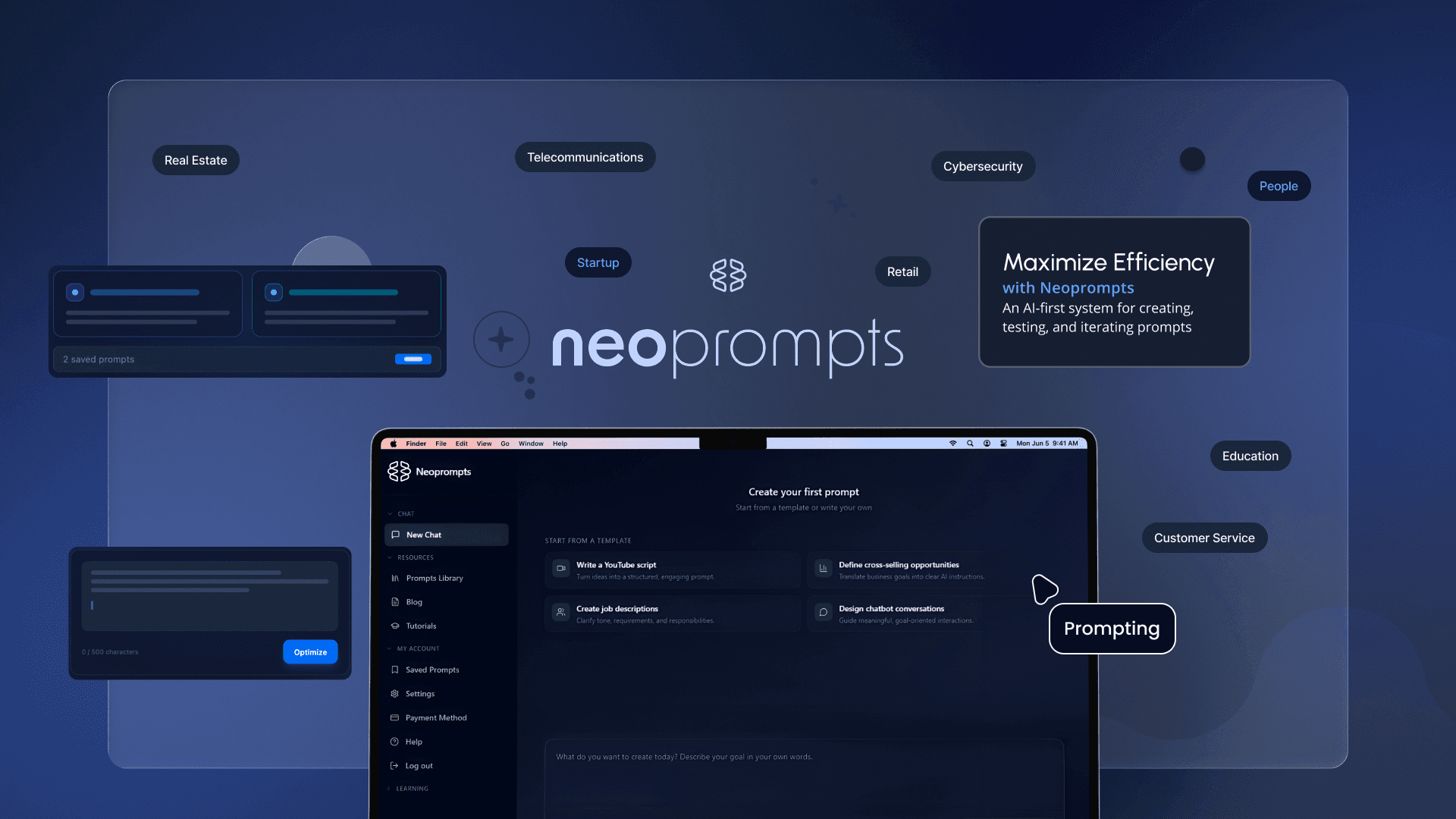
Neoprompts is an AI-first platform designed to support the creation, improvement, testing, and management of prompts. It provides a structured environment where prompts can be treated as reusable assets rather than one-off inputs.
The product combines guided prompt optimization, real-time testing, and personal prompt management, enabling users to work with prompts as part of an ongoing workflow instead of isolated interactions.
My role and scope
End-to-end ownership of the UX/UI design, from early ideation to MVP launch. The work centered on designing a system that helps users understand how to communicate with AI systems, not just achieve better outputs.
The scope covered product strategy, system design, UX/UI, prototyping, and delivery, as well as product communication design, including the landing page and an educational email strategy. The project was developed over three months of sprint-based collaboration with Product Management, Growth, and Engineering, aligning user needs, technical constraints, and business goals across the full lifecycle.
Impact
Neoprompts was conceived and designed at a moment when AI products were still emerging, and most tools treated prompts as disposable inputs rather than as a design problem in themselves. The project contributed to defining one of the early product experiences focused specifically on prompt creation, understanding, and management as a first-class interaction.
Rather than optimizing for short-term adoption, the impact of the project lies in establishing a product and design framework for working with AI intentionally, at a time when most solutions prioritized automation over understanding.
Problem statement
Exploration of real AI usage revealed a recurring issue: users struggled to translate intent into prompts that were specific, consistent, and reusable. Instructions were often ambiguous, incomplete, or contradictory, leading to trial-and-error workflows and inconsistent outcomes.
The core challenge was enabling clearer thinking in the moment of writing, so users could understand what to change, why it matters, and how it impacts results.
Rethinking prompts as designed artifacts.
Research and analysis
Research process
The research phase combined qualitative exploration, market benchmarking, and user interviews to understand both the landscape of prompt tools and the level of prompt literacy among potential users.
Beyond identifying usability gaps, the research aimed to assess whether prompt creation and management were perceived as valuable problems worth solving at that moment in the AI adoption curve.
A review of existing prompt libraries and early AI tools showed that while prompt collections were becoming common, most were designed primarily for copying and one-off usage, with little support for learning, iteration, or long-term management.
Designing the experience
Neoprompts was designed as a thinking environment, not an automated prompt generator. The system supports the full prompt lifecycle: creation, optimization, testing, iteration, and management.
Prompt optimization logic is informed by prompt engineering frameworks such as GACCA (Goal, Actor, Context, Constraints, Artifact) and CRISP-like structures, applied internally by the system. These principles guide how prompts are improved, while the UI focuses on clarity and learning rather than exposing technical frameworks.
UI design
To prioritize speed to market and validate the product as an MVP, the UI was built on top of Cruip templates, chosen for their Next.js and Tailwind CSS foundation. This decision allowed the team to focus on product logic, AI interaction patterns, and system behavior instead of rebuilding a front-end stack from scratch.
The templates were treated as a starting point, not a final solution. Interactive components were designed and adapted to support the product's specific workflows, including prompt drafting, optimization states, testing in the canvas, and user access levels. Both dark and light modes were implemented to support prolonged use and accessibility.
Information architecture
The information architecture was designed to keep users in a single cognitive loop: draft → optimize → test → iterate. Supporting areas (library, personal library, settings) are structured to reduce context switching and make prompts easy to find and reuse.
- Landing pageEN · ES · PT
- Email strategyCommercial + weekly
- UnregisteredBrowse, limited
- RegisteredStandard access
- SubscribedFull access, advanced
- WalkthroughWrite → optimize → test → save
- ChatbarDraft prompts
- OptimizeImprove the structure
- CanvasTest with the model
- IterateRe-optimize and retest
- Personal librarySaved prompts: manage and reuse, private collection, quick access
- Prompt libraryCurated: filters and categories, inspiration, learning
- SettingsPreferences and configuration
- Account managementSubscription level, profile and billing
Main flow Limited or secondary access
Prompt interaction workflow
The core interaction model is built around a single, continuous workflow: drafting a prompt, optimizing it, and validating it through real interaction. Each step has a distinct purpose, helping users move from intent to tested results without breaking their cognitive flow.
Register and onboarding
The onboarding introduces the core workflow through action: write, optimize, test, save, and explore prompts. Instead of explaining prompting upfront, it lets users learn the system by using it. The flow is shown once but remains accessible at any time.
Create your first prompt
Start from a template or write your own
Start from a template
- Write a YouTube scriptTurn ideas into a structured, engaging prompt.
- Define cross-selling opportunitiesTranslate business goals into clear AI instructions.
- Create job descriptionsClarify tone, requirements, and responsibilities.
- Design chatbot conversationsGuide meaningful, goal-oriented interactions.
Chatbar as the central entry point
The chatbar acts as the core interaction surface:
- Users begin by writing prompts freely, without predefined structure.
- Prompt optimization is triggered directly from the chatbar, avoiding complex flows or modal-heavy interactions.
- The interaction feels conversational rather than form-driven.
This reinforces the idea that a prompt is a living process, not a final input.
Prompt optimization and states
The workflow was intentionally designed to separate prompt thinking from prompt testing.
Users start by drafting a prompt freely, focusing on intent rather than structure. At this stage, the system treats the prompt as a draft, not as a final instruction. The primary action here is Optimize prompt, signaling that the next step is refinement, not execution.
Once optimized, the prompt transitions into a new state where it is considered ready to be tested. At this point, the primary CTA changes to Test prompt, making it explicit that the prompt has been structurally improved and can now be validated through real interaction with the model.
You don't need the perfect structure. We'll help you refine it.
This state-based approach reinforces the idea that writing a prompt and testing it are two distinct cognitive steps, reducing premature trial-and-error.
Testing prompts in the canvas
The canvas is activated only once a prompt is optimized, positioning it as a validation space rather than a drafting surface.
When a user selects Test prompt, the optimized prompt is injected into the canvas as if it were written by the user, preserving authorship and reinforcing that the prompt still belongs to them. The AI then responds using that prompt as system-level context, mirroring how tools like ChatGPT operate in real-world usage.
From that moment on, the canvas behaves like a conversational environment, allowing users to:
- observe real outputs,
- continue the conversation,
- iterate on the prompt,
- re-optimize,
- and test again, without restarting the flow.
I want to create an engaging Instagram post that showcases my latest travel experience. Please provide a catchy caption, relevant hashtags, and suggestions for the best imagery to attract my audience.
This turns the canvas into a learning and experimentation environment, where users can directly see how changes in prompt structure affect AI behavior.
Product communication and acquisition
Landing page
The product landing page was designed as an extension of the core experience, clearly communicating the value of Neoprompts and positioning prompting as a skill worth investing in. The focus was on explaining the problem, setting expectations, and driving initial adoption. The landing was localized in English, Spanish, and Portuguese to support early growth.
Email strategy
The email strategy was primarily commercial and growth-oriented, designed to support user acquisition, activation, and retention. In parallel, a recurring weekly email template was planned to keep users engaged over time.
This ongoing email format combined:
- Product updates and improvements
- Feature highlights and use cases
- Short, educational prompt tips to help users gradually improve their prompting skills
Evaluation
Evaluation and usability
The high-fidelity prototype was evaluated through heuristic walkthroughs, internal reviews, and qualitative sessions with users familiar with AI tools but with different levels of prompt literacy.
Evaluation focused on end-to-end flows: drafting and optimizing prompts, testing them in the canvas, and managing them over time. Key findings:
- 1Low prompt literacy drives demand for education.
- 2Discovery and filtering are critical for usability.
- 3Prompts need to adapt per AI assistant.
- 4Real-time testing reinforces learning.
These insights confirmed Neoprompts worked as an optimization tool, while highlighting its potential as a learning and adaptation system for AI interaction.
Learnings and next steps
Neoprompts reinforced a core Human-Centered AI principle: designing AI products means designing for how people think and learn, not just faster outputs.
Future directions include:
- Extending the system to image and video generation prompts, applying the same structural logic to multimodal models.
- Designing multimodal prompt frameworks for visual intent, style, constraints, and outputs.
- Expanding the canvas to support cross-modal prompt management and reuse.
- Introducing quality metrics focused on prompt clarity and intent alignment.
Designing prompts is less about syntax, and more about clarity of intent.
Neoprompts was released as an MVP. The product was later discontinued due to investment and business model constraints, and is no longer publicly available.